


12.3.16
Include Wallet Payments in Credit Card Reports
InfoGenesis POS has been enhanced to support including wallet payments in the following credit card reports:
-
Credit Card Exception Report
-
Credit Card Summary Report
-
Credit Card Transaction Detail Report
-
Credit Card Transaction Refund Detail Report
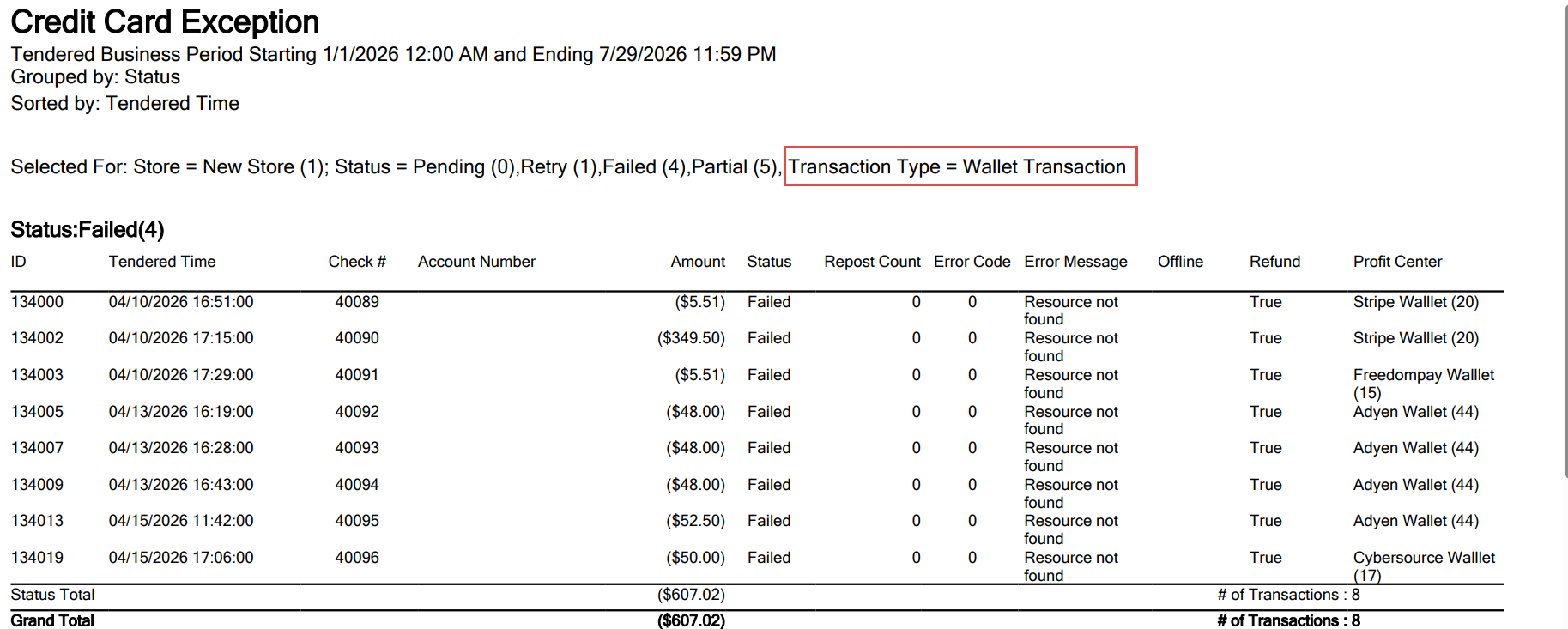
Sample Report
Important Points
-
Payments made through the following tender verification codes are supported:
-
Tender Verification Code 144 (Credit Card Payment via Agilysys Interface)
-
Tender Verification Code 145 (Wallet Payments via Agilysys Pay)
-
-
When the Group by Global Tender Identifier checkbox under the Format submenu in the Report Setup menu is enabled, transactions are grouped by Global Tender ID in the Credit Card Summary Report.
Changes Made in IGCM
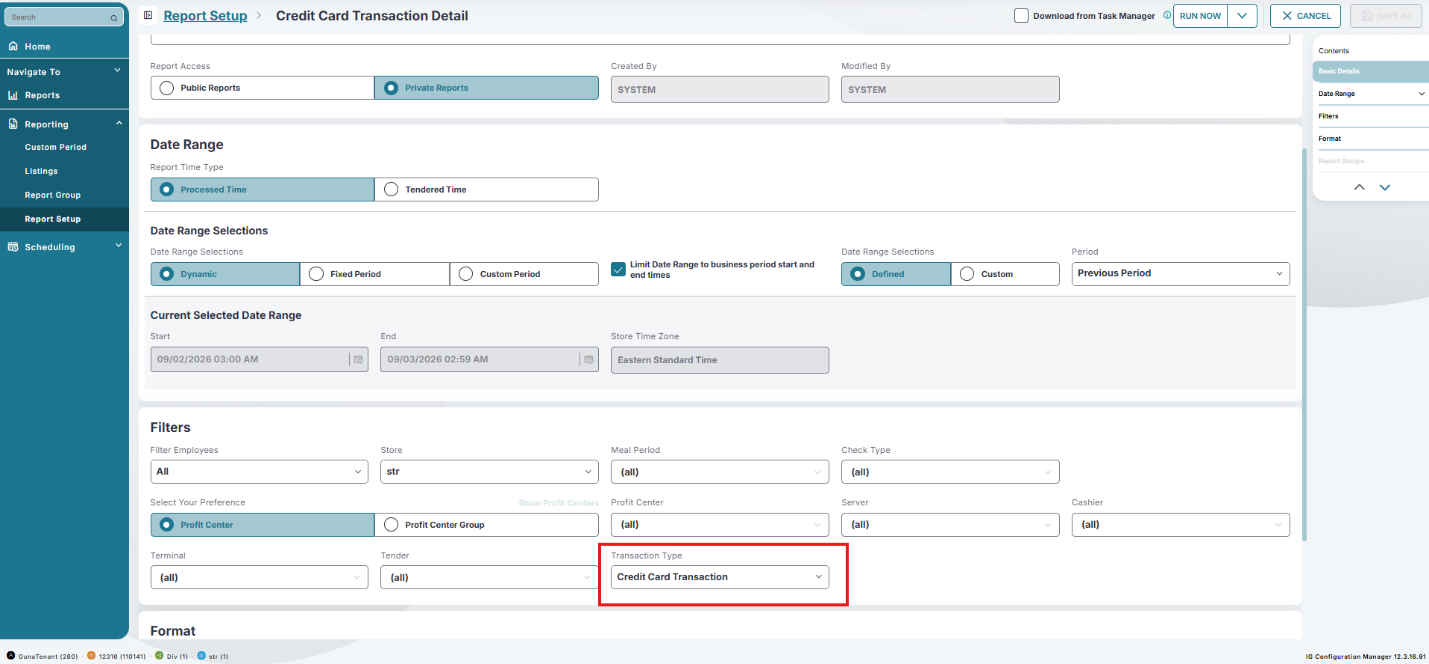
To support this, a new drop-down list, Transaction Type, has been added to the Filters submenu in the Report Setup menu with the following options:
-
Credit Card Transaction - When selected, only credit card transactions are displayed in the report. This option is selected by default.
-
Credit Card and Wallet Transaction - When selected, both credit card and wallet transactions are displayed in the report.
-
Wallet Transaction - When selected, only wallet transactions are displayed in the report.
Configurations in IGCM
Navigate to Reports ➜ Reporting ➜ Report Setup.
Select the appropriate task from the screen and select Edit to modify it.
Navigate to Filters submenu.
Select any of the preferred option from the Transaction Type drop-down list.
-
Credit Card Transaction
-
Credit Card and Wallet Transaction
-
Wallet Transaction
Select Save.
Select Run Now. The task is executed and the status can be viewed in Task Manager.
Select the Download icon to download the export file.