Sync 86/Un86 Status from Item Countdown Menu in IGCM
Users can sync the 86/Un86 status of items in the OnDemand application from the Item Countdown menu in IGCM or through the POS terminal. This means OnDemand verifies if the item is 86’ed/un86’ed from the InfoGenesis database. This feature is applicable only to To Go and Full Service profiles.
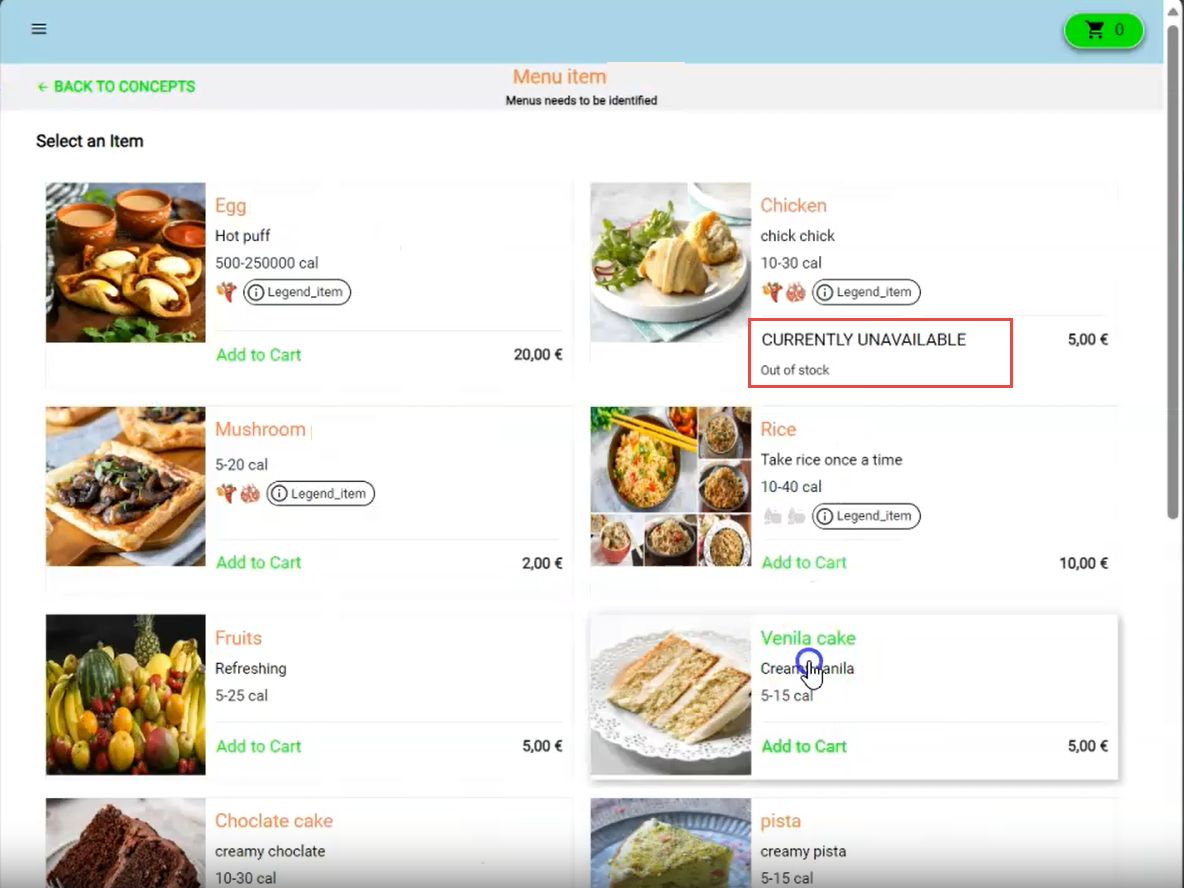
When the item is 86’ed for a given store, profit center/terminal, it is identified at the run time, but not displayed in the OnDemand profile. However, the 86’ed items and modifiers are displayed in the Menu screen only when the Show 86’ed Items and Show 86’ed Modifiers checkboxes in the Toggles section (Kiosk/OnDemand Configuration ➜ Terminals ➜ Terminal Group ➜ Additional Configuration) are enabled.
The following are the terminal options supporting this feature:
-
Terminal option 290 (Enable Item Countdown)
-
Terminal option 291 (Specify Countdown Group ID at Terminal)
-
Terminal option 293 (Automatically 86 items)
-
Terminal option 530 (Send 86/un86 to terminals in all profit centers)
-
Terminal option 1314 (Use Current Tracked Countdown Group When Automatically 86'ing Items)