


Support Scheduled Orders
IG OnDemand supports scheduled orders. The OnDemand site supports a minimum of 1 day to a maximum of 365 days to schedule the order. This allows guests to schedule their orders in advance at a preferred date and time.
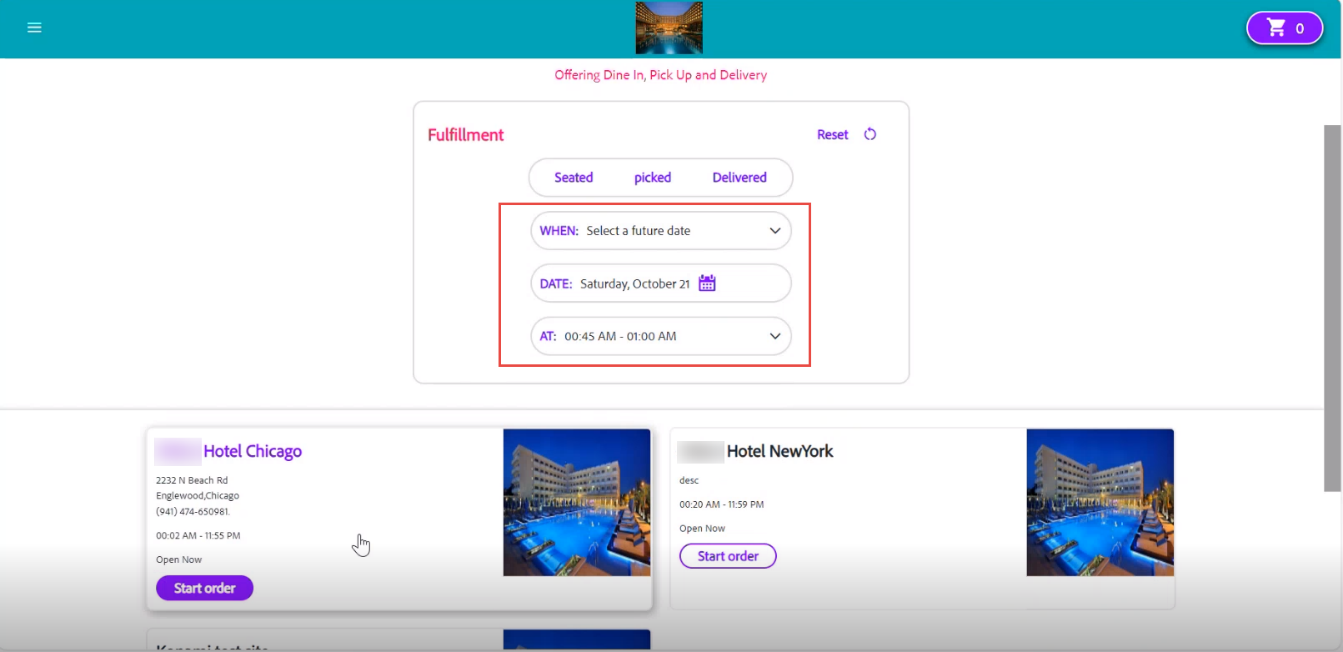
Guests must select Select a future date from the When drop-down list. Selecting this option displays the Date field. Guests must select the available date by clicking the Calendar icon. After selecting the date, the preferred time slot can be selected from the AT field to place the order in the selected date.
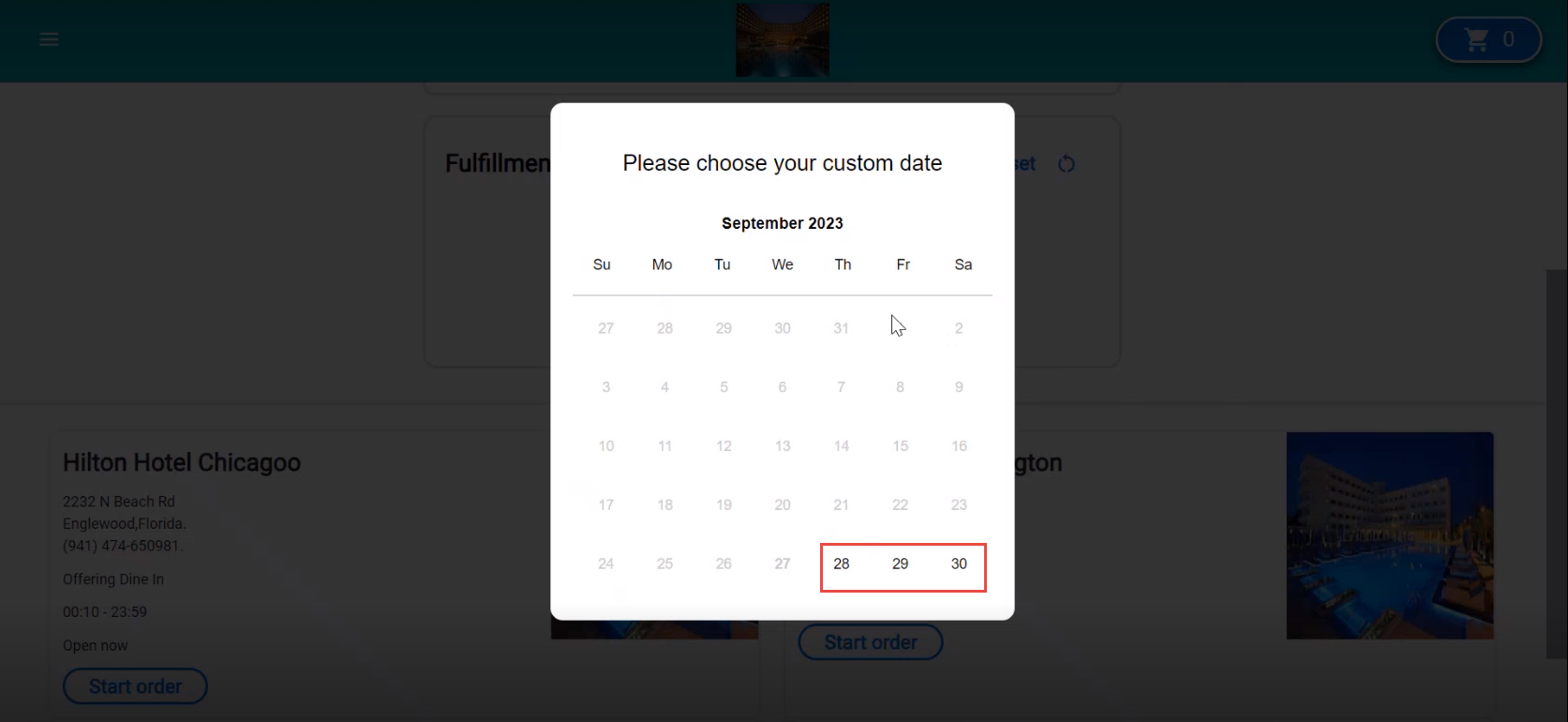
Depending on the configured number of days for scheduled orders, the calendar displays the dates. When 1 to 3 days are configured, OnDemand displays only 3 days to support scheduled orders.
On selecting the date and time, OnDemand displays the list of available site entities, and guests can choose one to schedule the order.
To configure this, users must select the Scheduled in Future checkbox in the Kitchen Operation Configurations section (Kiosk/OnDemand Configuration ➜ Administration ➜ Site Entities ➜ Basic Details) and must configure the number of days (from and to) in the From Day and To Day fields.
Also, the time interval for scheduled orders must be configured in the Order Scheduling Time Interval (min) field in the User Idle Limit Timer section (Kiosk/OnDemand Configuration ➜ Administration ➜ Site ➜ Site Settings) to allow guests to select a specific time slot on the selected day to schedule an order. These time slots appear according to the operating hours and do not allow guests to place orders outside the closing hours.
This feature is applicable only to To Go and Catering profiles.