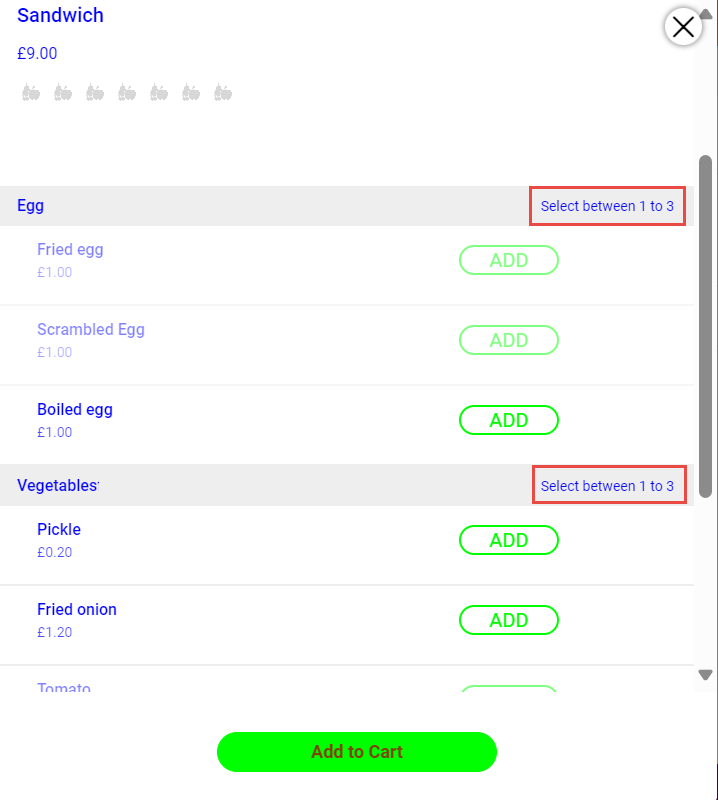
Choice Group
The choice group can be configured with the minimum and maximum number of modifiers in the Minimum and Maximum fields in the Limit section (POS Configuration ➜ Items ➜ Choice Group ➜ Basic Details). Also, the appropriate modifiers for the choice group can be mapped using the Modifier drop-down list in the Modifiers submenu.
The configured choice group must be mapped to the appropriate item using the Choice Group drop-down list (Kiosk/OnDemand Configuration ➜ Items ➜ Item ➜ Choice Groups)
The following table shows OnDemand behavior according to the minimum and maximum number of modifiers configured.
|
Minimum |
Maximum |
Behavior |
|---|---|---|
|
1 |
1 |
Guests must select 1 one modifier to add the choice group item to the cart. |
|
0 |
3 |
Guests can either select up to 3 modifiers or not select any of them to add the choice group item to the cart. |
|
2 |
3 |
Guests must select a minimum of 2 modifiers to add the choice group item to the cart. |