Release 12.3.11
12.3.11.23 (4.5.3 Only)
MSR Swipe for Employee Login
IG Kiosk has been enhanced to allow employees to log in quickly and securely by swiping their card through a Magnetic Stripe Reader (MSR).
This feature is not supported for the GA Reload profile.
Changes Made in Universal Desktop
A new field, CardSwipeForEmployeeLogin, has been added to the Settings.ini file of the POS Terminal form (Profiler ➜ POS Terminal).
-
When set to True, employees will be prompted to swipe their card through an MSR for login when triple tap is performed.
-
When set to False, employees must login by manually entering the credentials. By default, the field is set to False.
Triple Tap will not work on the Tender or Tender Group screens if a transaction is initiated and in progress, and the same restriction applies to the Membership Enquiry Input screen.
This toggle works in combination with the following terminal options:
-
Terminal Option 44 (Prohibits employee sign-on using numeric keypad)
-
Terminal Option 135 (Require employee password after MSR swipe)
-
Terminal Option 1129 (Read employee number data from MSR track 1)
-
Terminal Option 1329 (Use passcode for employee sign on)
-
Terminal Option 1330 (Reading MSR card using Payment Device)
Based on the enabled settings, the kiosk behavior will vary as explained in the table below:
|
Card Swipe for Employee Login via Triple Tap |
Terminal Option 135 |
Terminal Option 1129 |
Terminal Option 1330 |
Terminal Option 44 |
Terminal Option 1329 |
Expected Behaviour |
|---|---|---|---|---|---|---|
|
Enabled |
Enabled |
Disabled |
Enabled |
Enabled |
Enabled |
The kiosk will prompt the employee to swipe their card, but will not prompt for a password. The employee’s data will still be read from Track 1. |
|
Enabled |
Enabled |
Disabled |
Disabled |
Enabled |
Enabled |
The kiosk will prompt the employee to swipe their card, with no password prompt. The employee’s data will be read from Track 2 of the card. |
|
Enabled |
Enabled |
Disabled |
Disabled |
Disabled |
Enabled |
The kiosk will prompt the employee to swipe their card in the MSR Reader instead of the Payment Device, and no password will be prompted. The employee’s data will be read from Track 2. |
|
Enabled |
Enabled |
Disabled |
Disabled |
Disabled |
Disabled |
The kiosk will prompt the employee to swipe their card in the MSR Reader instead of the Payment Device, with no password prompt, and the data will be read from Track 2. |
|
Disabled |
Disabled |
Disabled |
Disabled |
Disabled |
Disabled |
The kiosk will displays the current Triple Tap flow, with no MSR swipe functionality. |
Sample Screenshots
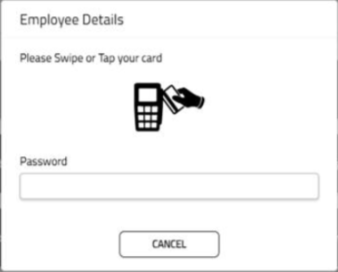
When Terminal Option 44 and Terminal Option 1330 are enabled:
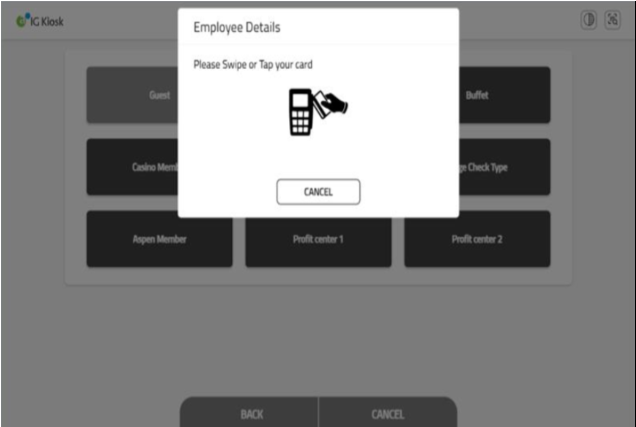
When Terminal Option 44 is disabled, and Terminal Option 1330 is enabled:
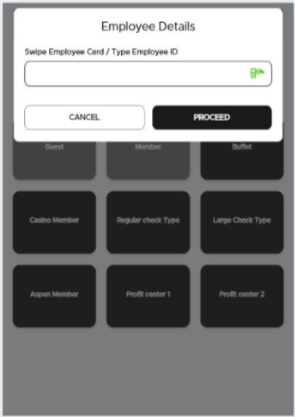
When Terminal Option 44 is disabled, Terminal Option 1330 is enabled, and Terminal Option 135 is enabled: