


12.3.16 (12.x Server Only)
Enable Continuous Scrolling Between Categories
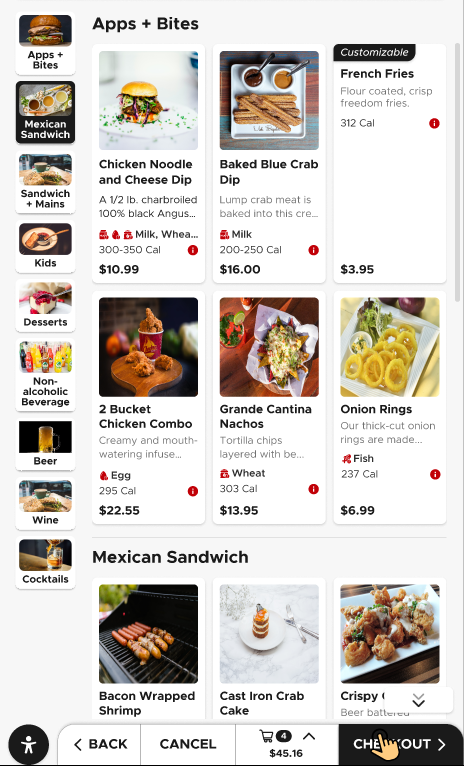
IG Kiosk has been enhanced to support continuous scrolling across menu categories. Previously, guests had to manually select each category to view its items. Scrolling was limited to a single category, and guests had to navigate between categories to continue browsing.
With this enhancement, guests can seamlessly browse menu items across multiple categories in a single scrollable view. At the end of one category, the next category is displayed automatically without requiring additional navigation.
The following templates are supported:
-
Simple Portrait
-
Basic Vertical
-
Minimalist
-
Plainscape
Important Points
-
A scroll indicator is displayed to show the guest's position within the menu.
-
Guests can still manually search for a category.
-
When a guest selects a category from the category navigation panel, the menu automatically scrolls to the previously selected category with its associated items.
-
Audit logging is supported.
Changes Made in IGCM
To support this, the following checkboxes have been added to the Design Details submenu of the Profile Design menu (Kiosk/OnDemand Configuration ➜ Profile Designer ➜ Profile Design).
|
Field |
Description |
|---|---|
|
Need continuous scroll between categories |
|
|
Need scroll with a focused view |
This checkbox will be enabled only when the Need continuous scroll between categories checkbox is enabled.
|
Configurations in IGCM
Configure Continuous Scrolling
Navigate to Kiosk/OnDemand Configuration ➜ Profile Designer ➜ Profile Design.
Choose an appropriate profile design and select Edit.
Navigate to the Design Details submenu.
Enable the Need Continuous Scroll Between Categories checkbox.
Enable the Need scroll with a focused view checkbox to display a focused view.
Select Save.
Updated Documentation: Using IG Kiosk 12.3.16; InfoGenesis Configuration Manager for IG Kiosk 12.3.16