


Release 12.3.14
12.3.14 (12.x Server Only)
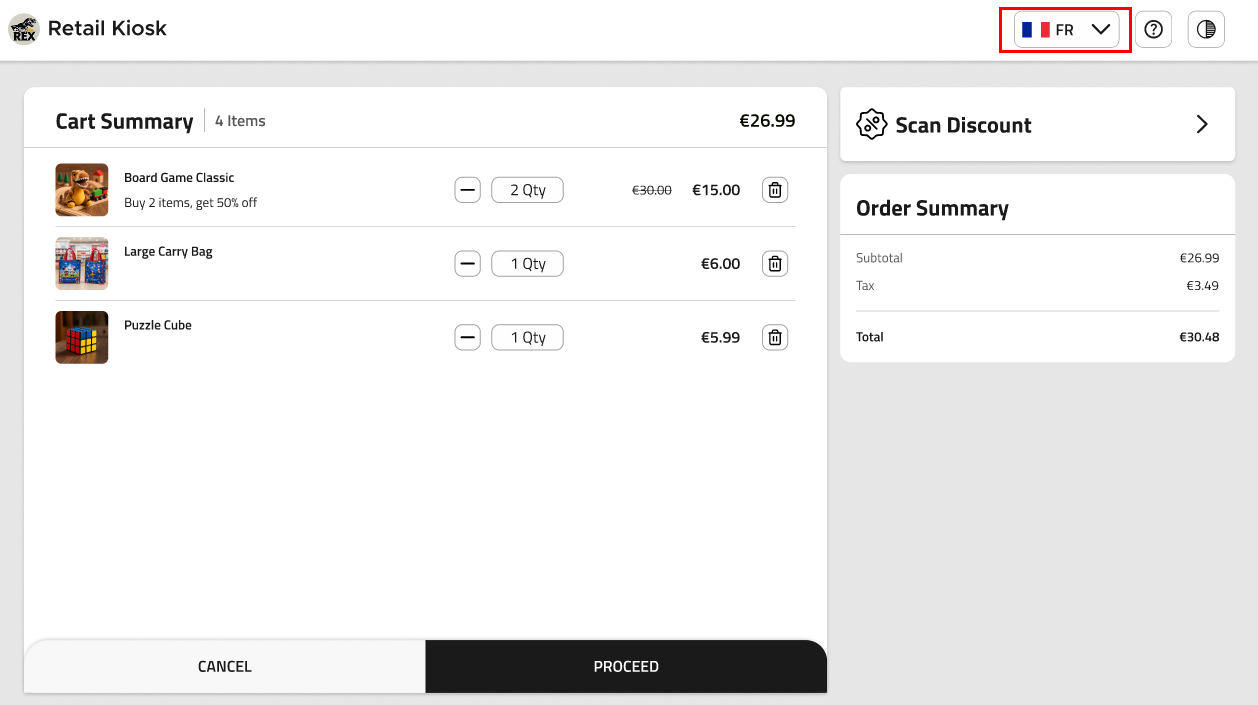
Language Selection in all Screens
IG Kiosk has been enhanced to allow guests to change their preferred language at any point during their ordering journey.
If the kiosk times out or returns to the Landing screen, the language resets to the default language.
This feature is applicable to all kiosk templates and kiosk profiles.
Changes Made in IGCM
To support this, a new checkbox, Show Language in All Screens, has been added to the Design Details submenu of the Profile Design menu (Kiosk/OnDemand Configuration ➜ Profile Designer ➜ Profile Design).
-
When enabled, the language selection drop-down list with the list of configured languages will be displayed in all screens.
-
When disabled, the language selection drop-down list will be displayed only on the Landing screen. By default, this checkbox is disabled.
Configurations in IGCM
Navigate to Kiosk/OnDemand Configuration ➜ Profile Designer ➜ Profile Design.
Choose the appropriate record and select Edit.
Navigate to the Design Details submenu.
Enable the following checkboxes:
-
Enable multi language
-
Show Language in All Screens
Select Save.
Updated Documentation: Using IG Kiosk 12.3.14; InfoGenesis Configuration Manager for IG Kiosk 12.3.14