


Function Screen
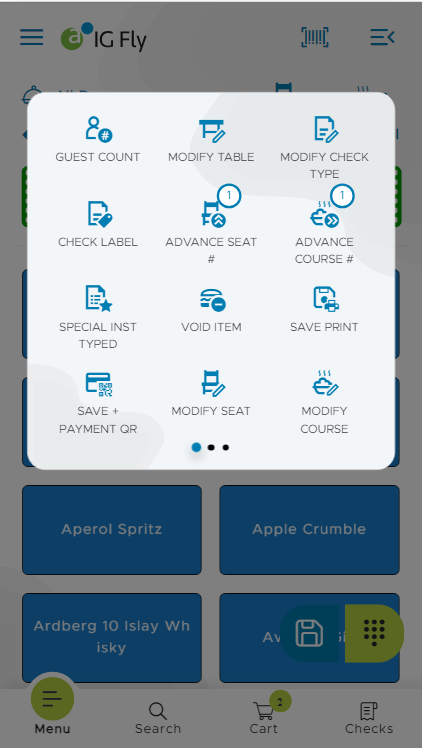
The Function screen displays all the functions available in IG Fly. The functions specific to each screen are configurable in the POS Configuration ➜ Profiler ➜ POS Terminal ➜ Files submenu in the IGCM.
The device accommodates many functions as the screen size allows.
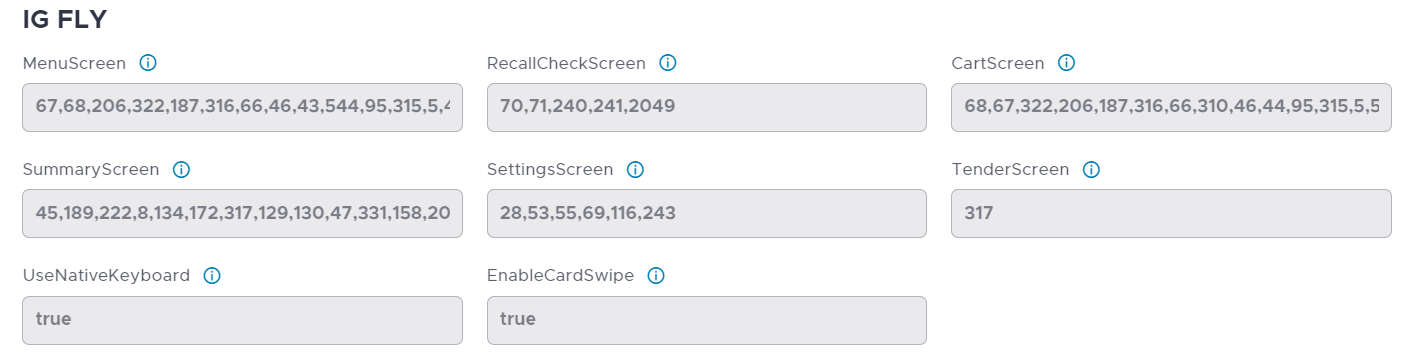
The functions are displayed in each of the following screens:
-
Home
-
Check
-
Cart
All the screens display the list of functions pertaining to that screen. For example, the Check screen displays check functions such as Modify Check Type and Check Label.
|
Icon |
Description |
|---|---|
|
|
Carousel Allows users to navigate between the different sections within the Function screen. A maximum of three sections are available. The first section is displayed by default. Tap the appropriate button to switch to sections. Users can view 12 function buttons in one section. |

Terminal Options Supported
|
Terminal Option |
Description |
|---|---|
|
48 (Default to primary profit center after each transaction) |
Select this option to default to the terminal's primary profit center after each transaction. We recommend using this option if the terminal primarily services a single profit center, and other profit centers are only occasionally accessed via the terminal. |
|
60 (Set price levels based on tender type) |
Select this option to set price levels based on price level overrides configured in tenders. The price level for all items is altered at the time of tender, overriding any price levels set in the Terminal Groups: Check Types window. Related terminal option: 81 |
|
74 (Display interactive response) |
Select this option to display an interactive account name, and confirmation prompt. Use this option with interactive account tenders to display the account name before the transaction is accepted when tendering to an interactive account (i.e., City Ledger, comp). Turn this option off when using host capture property management systems, such as Fidelio and NCR. Related terminal options: 75 and 76. When this option is not active, the terminal immediately tenders a check when account information is entered. |