


Release 12.3.14
12.3.14
Display Paid Order Count in DMB Station
IG DMB has been enhanced to display a small banner at the bottom of the expo to show the number of paid orders. With this enhancement, the order count is refreshed automatically every 15 minutes, with a countdown timer indicating the remaining time until the next refresh. For kitchens operating multiple stations, the total number of paid orders across all stations is displayed. Additionally, the indicator is not impacted by bumped or delivered orders.
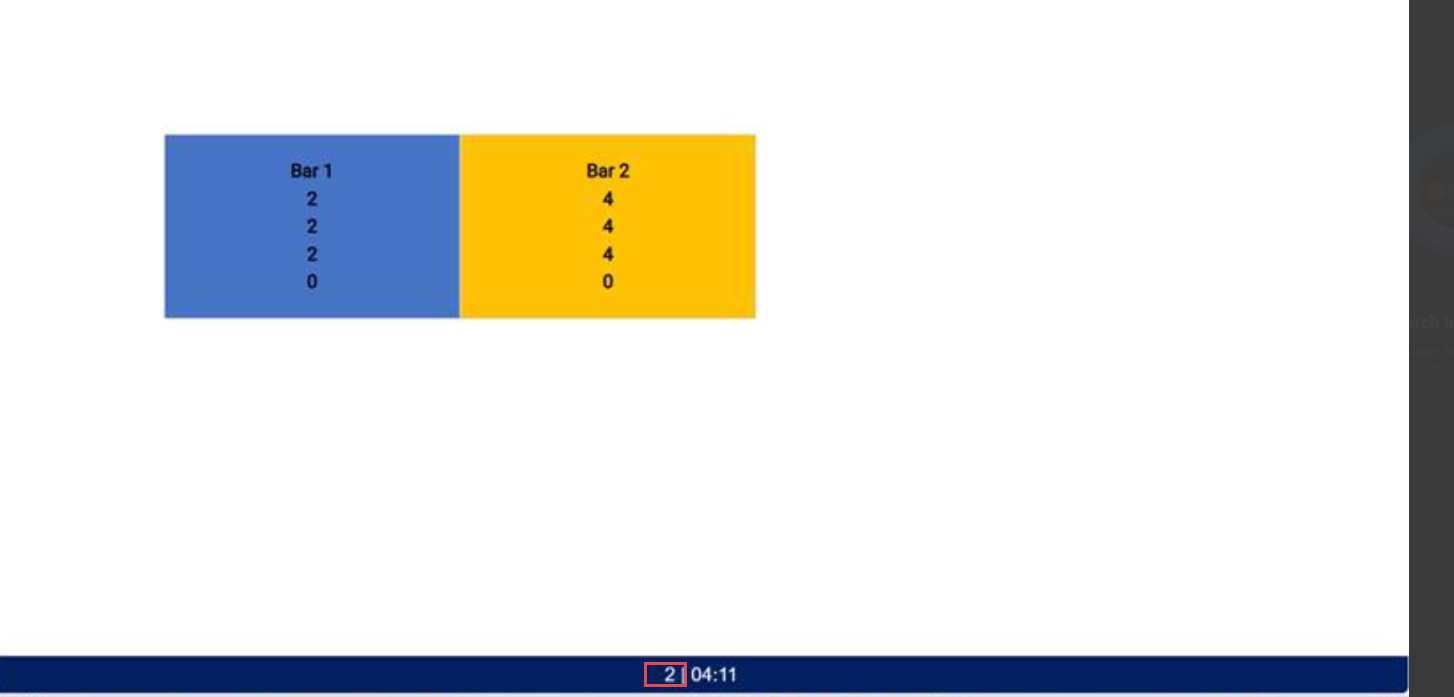
Order source: InfoGenesis POS Terminal 12UX and IG Kiosk.
Important Points
-
Order count is updated only when Inventory Based on Kitchen Status option is selected from the Inventory Type field under the Store Information submenu in the Store menu (POS Configuration ➜ Administration ➜ Store).
-
The DMB timer starts and resets based on the local time of the device where DMB is launched.
Changes Made in IGCM
To support this, a new checkbox, Show total paid orders count, has been added to the Basic Details submenu in the DMB Station menu (POS Configuration ➜ Digital Menu Board ➜ DMB Station).
-
When enabled, a small banner displays the total paid orders across all stations.
-
When disabled, the paid orders are not displayed. This checkbox is disabled by default.
Configurations in IGCM
Navigate to POS Configuration ➜ Digital Menu Board ➜ DMB Station.
Select the preferred record from the screen and select Edit to modify it.
Navigate to the Basic Details submenu.
Enable the Show total paid orders count checkbox.
Select Save.