


Tip Payout
The Tip Payout function is used to withdraw the total tips. The total tips include the tips, gratuities, and service charges. An employee can pay out the tips to themselves or to other employees. Tip payout can be done for the logged in employee or for another employee as well.
Navigate to Jump Bar ➜ Functions. The Function screen appears.
Select Tip Payout. The Tip Payout prompt appears.
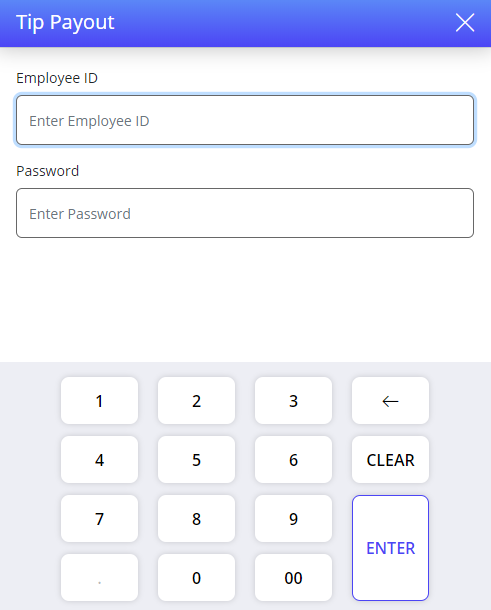
Swipe the employee card or enter credentials of the employee to whom the tip must be paid out to. The user can enter their own credentials if they are paying out the tip to themselves.
Select ENTER. The total tips available with the employee is displayed in the Total Tips Amount field. When the total tips available with the employee is $0, a message, There are no tips available for payout appears.
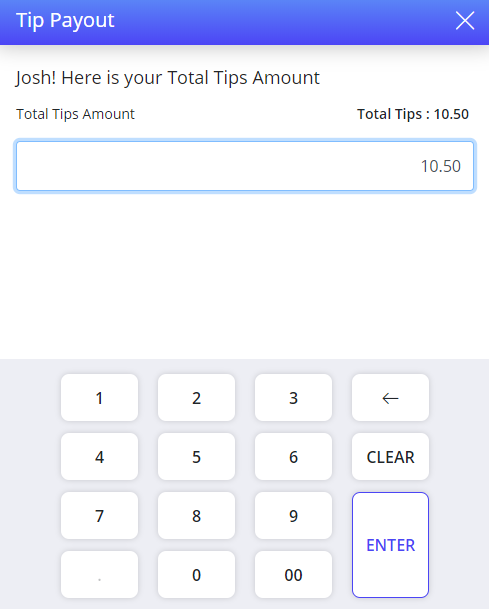
Select ENTER to payout total tip amount.
Enter tip amount to be paid out.
A message, The tip amount exceeds the available tip amount appears when the tip payout amount entered is higher than the total tip amount available with the employee.
Select ENTER. The Tips Payout - Print Chit prompt appears.
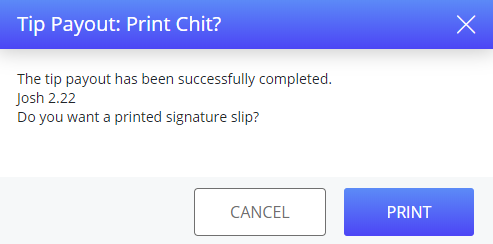
If the cash drawer is connected to the terminal, it will open during tip payout to provide the tip amount.
Select PRINT to print a signature slip. The employee signs the signature slip to indicate that they have received the tips.
A message, No Tips Due appears if there are no tip amount available to payout for the selected employee.
Terminal Options Supported
|
Terminal Option |
Description |
|---|---|
|
216 (Tip Payout, Manager override with open checks) |
If this terminal option is enabled, tip pay out can be performed with a manager override even when a check is open. |
The user can either pay out a portion of the total tip amount or the whole tip amount. These are called partial and full tip payout respectively.
The user can also perform tip payout by selecting the Tip Payout function from the Tips section in the User screen.
Gratuity/Service Charge Payout
The service charge and gratuity amount can also be withdrawn in addition to the tip amount. This is accomplished using the Tip Payout function button as well.
Start a check and add the items. Based on the check type configuration, the gratuity and service charge are added to a check.
Tender the check. The check the gratuity/service charge amount will be added as a tip amount in Tips section of the User screen. For example, if the total tips available is $100, and a check with Gratuity and Service Charge of $3 each is tendered, the total tip amount becomes $106.
Select the Tip Payout function in the Function Screen or User screen to withdraw the tip amount along with the Service Charge and Gratuity amount.
The Allow payout at terminal checkbox must be enabled in the Gratuity menu in IGCM.
The gratuity and service charge amount are accumulated along with the tip and are paid out only if the checkbox is selected, else the employee will not be allowed to withdraw the gratuity or service charge amount.
The gratuity/service charge is given to the designated cashier, server or employee based on the selection in the Recipient drop-down available in the Gratuity form.
For more information about tip payout, refer to the Tip Payout section.