


Quantity Based Modifiers
Quantity based modifiers are modifiers that alter the quantity and price of an item. When a quantity-based modifier is added to an item, the price and quantity of item added to the check can be modified.
For example, if Pizza is added to the check and the guest wants to modify the portion size from Standard to Large, user must map a modifier to it to alter the quantity and price accordingly.
Open a check and add an item.
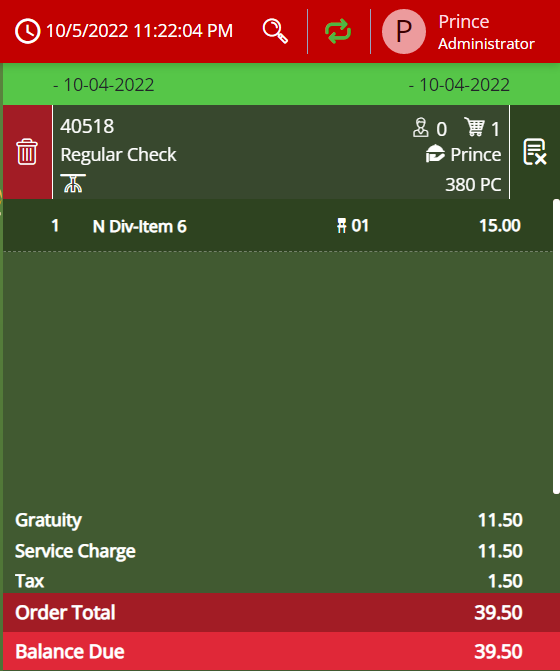
Add the quantity-based modifier. The amount of the item added changes as per the modifier.
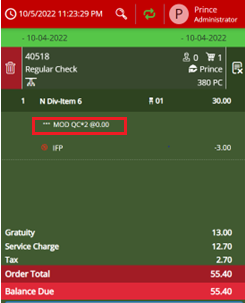
Here, the price of the item is 15$. When a quantity-based modifier is added to the item, the price of the item changes to 30$ to suit the quantity-based modifier added along with the item.
After the quantity-based modifier is added, user can only add modifiers that are not quantity-based to the check.
If the user tries to add more than one quantity-based modifier to the same check, a message, A quantity-based modifier is already applied towards the item. Only one can be applied at a time, is displayed.
For more information, refer to the Agilysys InfoGenesis POS Configuration 4.5.3 document.
For customers using 12.x server, refer to the InfoGenesis Configuration Manager for POS Terminal document.
Displaying Quantity-based modifiers
Quantity based modifiers will be displayed separately in the following screens at the terminal:
-
Home screen
-
Choice Group screen
-
Quantity Category Modifier screen
-
Selection Group screen
Sample screens:
Home screen

Quantity Category Modifier screen
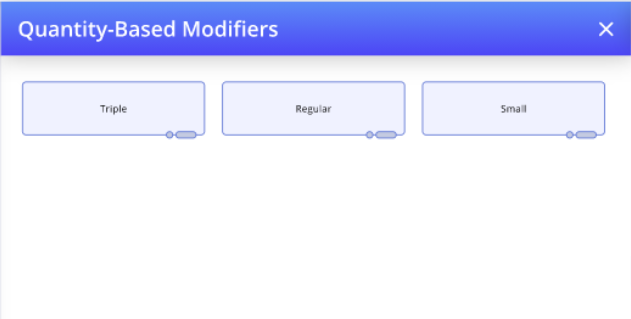
This is not applicable for the traditional layout and mobile view.