


Foreign Currency Tenders
Foreign Currency tender allows the user to convert the foreign currency into its equivalent value of the required currency and tender the payment successfully.
Start a new check and add items.
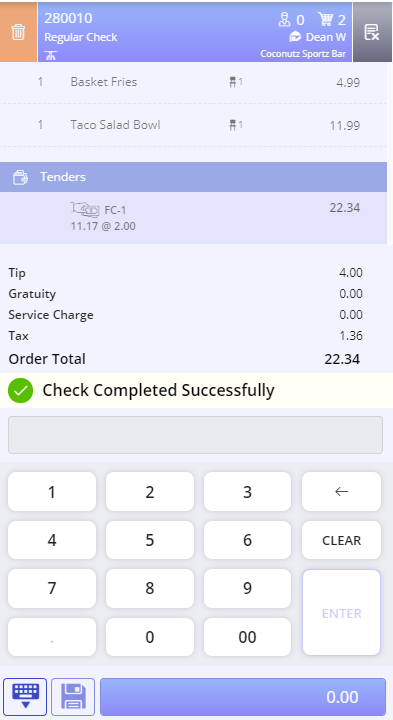
Select the Foreign Currency tender from the tender screen. The Amount prompt appears. It displays the amount based on the currency rate configured.
Select Done. The check is tendered successfully.
Important Points
-
The Foreign Currency tender, like all the other tenders, must be configured using the Tender menu in IGCM. The tender must be mapped to the to the appropriate terminal group to be used at the POS terminal.
-
To classify as a foreign currency tender, the tender must be configured with a tender verification code between 41 and 49.
-
The Currency Rate field in the Miscellaneous section of the Tender menu is enabled only if the tender verification code is between 41 and 49.
-
The currency conversion rate is configured by entering the conversion value in the Currency Rate field. For example, to convert 120 Japanese yen to the equivalent dollar amount, type 0.0072; to convert 0.621977 United Kingdom pounds to the equivalent dollar amount, type 1.26. For currency conversion rates less than one, type zero, and then type the decimal point and the decimal.
-
Overtender must be set to Tip, Change or Breakage while configuring a foreign currency tender. Foreign Currency tender does not apply successfully when overtender is set to NO.
-
Foreign Currency tender does not support partial or multiple payments.