


Fiscal Functions
Lottery Code
The Lottery Code function is used to print lottery codes on the customer receipts.
Open a check and add appropriate items.
Navigate to Jump Bar ➜ Functions Screen.
Select the Lottery Code function button. The Lottery Code prompt is displayed.
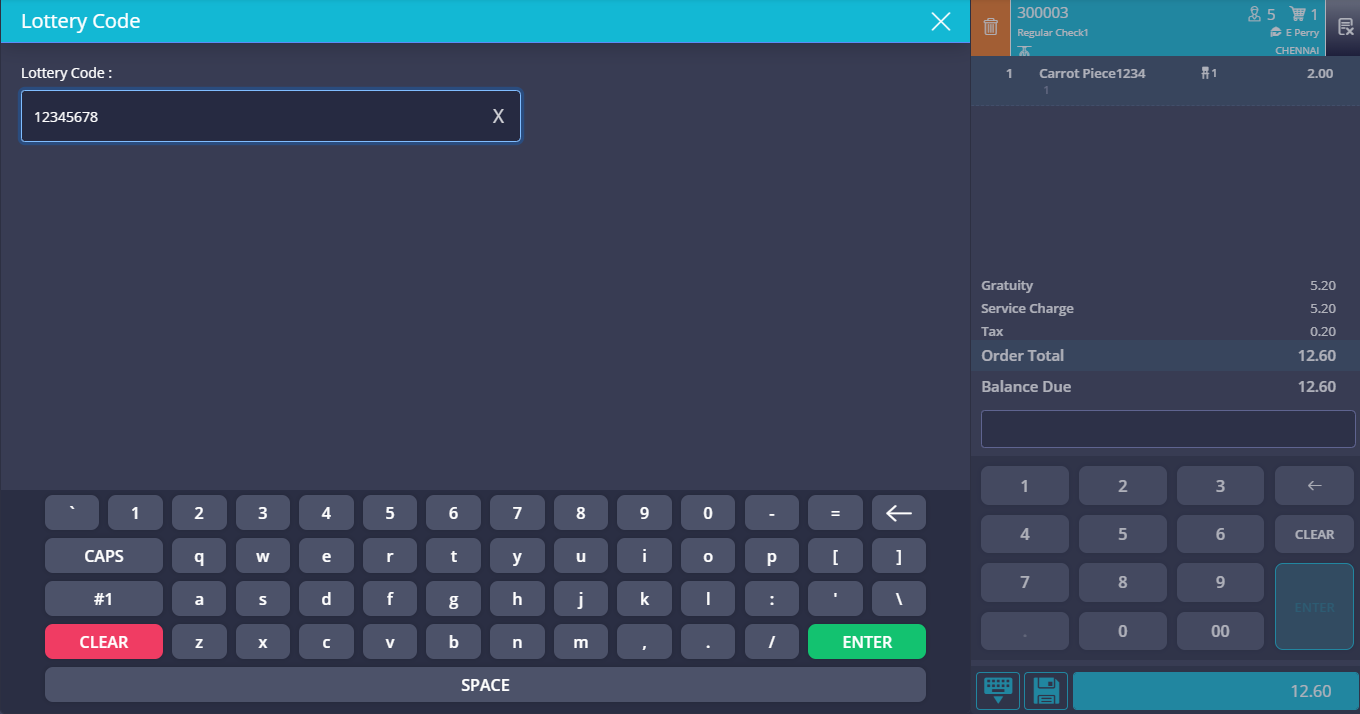
Enter the lottery code or scan the lottery code using a bar code scanner and select Enter.
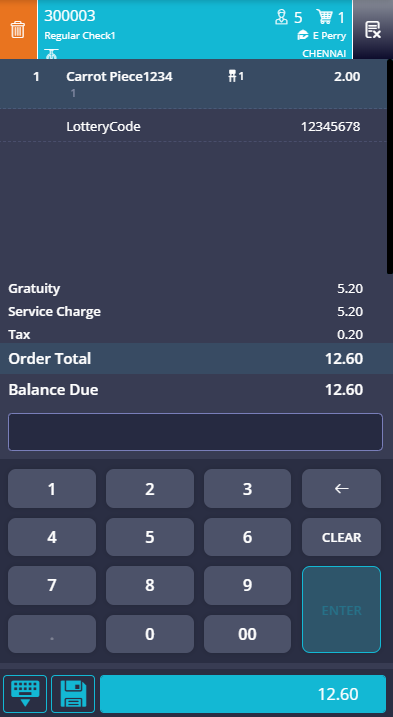
The lottery code is captured and displayed in the check view.
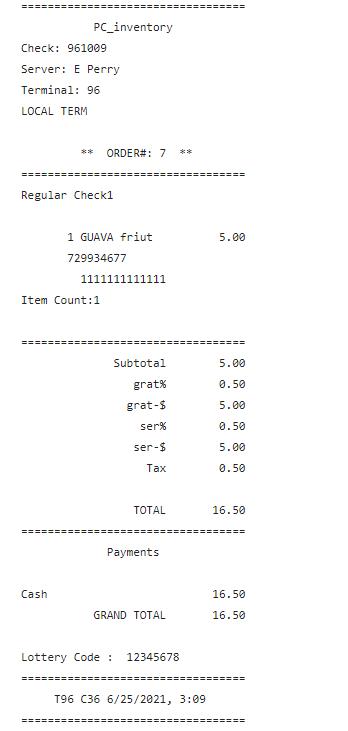
When the check is tendered, the lottery code is printed on the receipt.
Important Points
-
The POS user will not be able to perform the Lottery Code function when the Terminal Option 505 (Enable Fiscal Interface) is disabled or the fiscalconfig.ini file in the appropriate POS terminal profile is not updated with Fiscool.italy.dll.
-
Lottery code is not captured if the check total is less than 1 euro.
-
Capturing the lottery code does not tender or save a check. The check continues to be open in the check view even after the lottery code is captured, and the POS user can proceed to save or tender the check.
-
Once lottery code is captured in a check, the check cannot be tendered with a tender that is not mapped to the lottery code. For example, if a tender with ID 1 is not entered in the Lottery Mapping field while configuring lottery code, is used to tender the check which has lottery code, an error is displayed. In case of applying multiple tenders on the check, at least one of the tenders must be mapped with the lottery code.
-
When a check is refunded, the lottery code captured with the original check is sent to the fiscal printer.
-
When a check is split after capturing lottery code, the same lottery code is carried over to the child check as well.
-
When a check is combined with another check after capturing the lottery code, the resultant check has the same lottery code captured in the original check.
-
The lottery code captured in the check is sent to the fiscal printer even when the POS terminal is offline.
-
Only one lottery code is captured per check.
-
The captured lottery code is not verified by the POS terminal before being sent to the fiscal printer. Spaces if any, available are trimmed before sending the lottery code to the fiscal printer.
-
More than one check can have the same lottery code.
-
When a tip or partial tender is available in the check, the lottery code is not captured.
-
If a lottery code is captured and a tip/partial tender is added to the check, the lottery code cannot be voided unless the tip/partial tender is voided.
Refer to the Agilysys InfoGenesis POS - Italy Fiscal Configuration guide for more information.