


Auto Download Client Packages in PAX Device
The IG Pay@Table app in the PAX device has been enhanced to automatically download client packages from License Administration. After the user logs in, the app checks for updates every 15 minutes and downloads the updates automatically if there are any. An up-arrow is displayed on the top of the screen after the updates are downloaded and a prompt saying Updates are downloaded Restart application to apply updates is displayed.
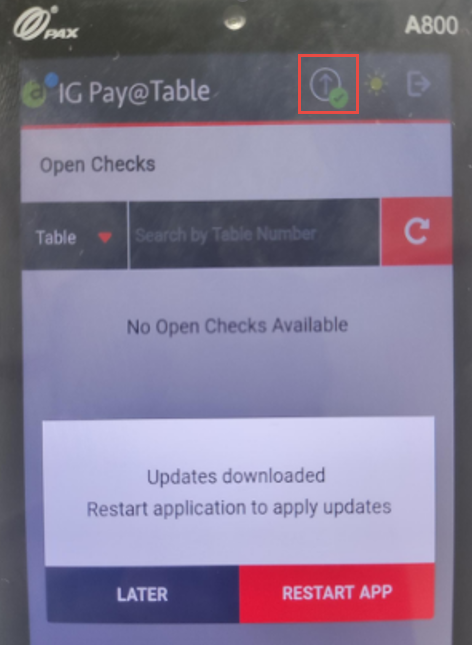
Users can select Restart App in the prompt to apply the updates immediately. If Later option is selected, users must tap on the up-arrow symbol at a preferred time and select Restart Now option to apply the updates. The prompt will not be displayed if a check is open.
If the user selects the up-arrow symbol to apply updates when a check is open, a message, This operation is not allowed when there is an open check, will be displayed. Users must close the check to apply the updates.
Updated Documentation: Agilysys InfoGenesis POS 12UX with Agilysys Pay Credit Card