


Settlements
The Settlements utility displays the status of various types of payment transactions.
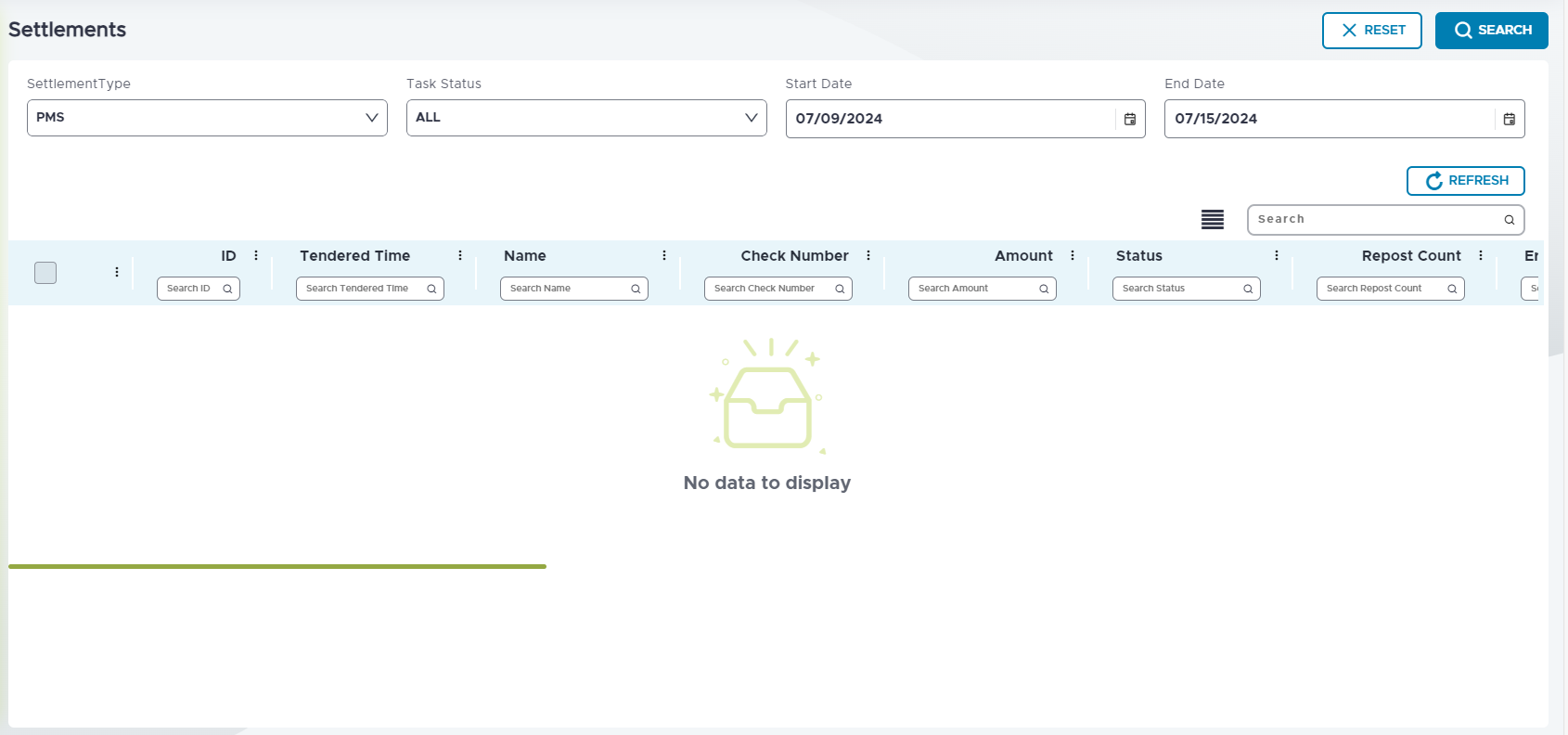
Refer to the following table to understand the fields and descriptions:
|
Field |
Description |
|---|---|
|
Settlement Type |
Select the preferred settlement type from the drop-down list. |
|
Task Status |
Select the status of the task. |
|
Start Date |
Select the start date. |
|
End Date |
Select the end date. |
|
Search |
Users can enter the keyword in the Search field to search the results easily. |
|
Refresh |
Select Refresh to refresh the results. |
|
Select All |
Select the Select All checkbox to select all the results. |
|
ID |
Displays the ID of the settlement. |
|
Tendered Time |
Displays the tendered time of the settlement. |
|
Name |
Displays the name of the settlement. |
|
Check Number |
Displays the check number of the settlement. |
|
Amount |
Displays the amount of the settlement. |
|
Status |
Displays the status of the settlement. |
|
Account Number |
Displays the account number of the settlement. |
|
Tip |
Displays the tip of the settlement. |
|
Tax |
Displays the tax of the settlement. |
|
Tender Id |
Displays the tender ID of the settlement. |
|
Terminal ID |
Displays the terminal ID of the settlement. |
|
Profit Center |
Displays the profit center ID associated with the settlement. |
|
Meal Period ID |
Displays the meal period ID associated with the settlement. |
|
Cashier ID |
Displays the profit center ID associated with the settlement. |
|
Merchant ID |
Displays the profit center ID associated with the settlement. |