


Security Level
Security levels are inclusive and ascending, with the higher security levels possessing all the rights and properties of a security level below them. Use the Security Levels sub-menu to rename each security level, such as server, cashier, manager, supervisor, boss-whatever makes sense for enterprise and profit centers.
Perform the following steps to edit Security Level:
Navigate to POS Configuration ➜ Employees ➜ Security Level.
Select Edit.
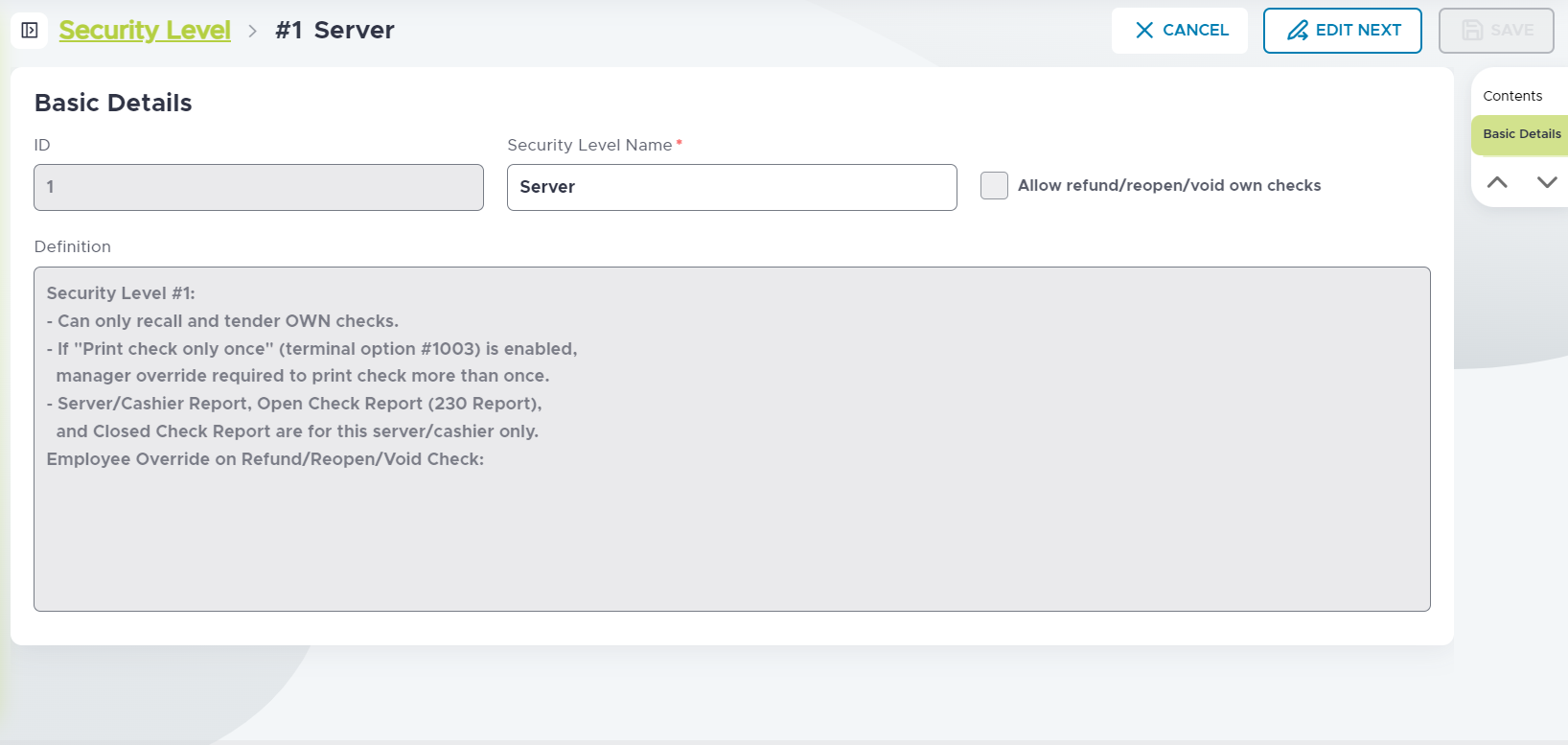
Refer to the following table for an overview of suggested security levels:
|
Level |
Name |
Description |
|---|---|---|
|
0 Clock-in |
Clock-in |
Only allows clock in. |
|
1 |
Server |
Allows recall and tender of own checks. The following are for this level only:
|
|
2 |
Server-Banker |
Same basic privileges as security level 1. By assigning security level 2 for specific items, modifiers, meal periods, void reasons, and so on., employees with lower security levels are prohibited from ordering those items or modifiers, changing the meal period, or using a specific void reason. A manager can override to permit action. |
|
3 |
Cashier/Banker |
Recall and tender other people’s checks. Allows printing of check more than once. Allows printing of Shift report and Closed Check reports (previous and current) for any server/cashier. Allows printing of Open Checks report for all servers’ open checks (200 Report). |
|
4 |
Cancel Check Rights |
Allows cancelling an order involving recalled checks-overriding Terminal Option 145 - Prohibit cancelling an order. |
|
5 |
Managers |
Can log other employees off cash drawers. Start a team check without being on the team if Terminal Option 54 - Manager starts team checks is active. |
|
6 |
Profit Center Rights |
Can view all open checks for profit center. Other privileges are same as security level 5. By assigning security level 6 for specific items, modifiers, meal periods, void reasons, and so on., employees with lower security levels are prohibited from ordering those items or modifiers, changing to the meal period, or using a specific void reason. A manager with security level 6 or higher can override to permit the activity. |
|
7 |
Level 7 |
Same privileges as security level 6. Assign security level 7 to specific items, modifiers, meal periods, void reasons, and so on., so that only those employees with level 7 (or higher) security can access the items. |
|
8 |
Level 8 |
Same privileges as security level 6. Assign security level 8 to specific items, modifiers, meal periods, void reasons, and so on., when so that only those employees with level 8 (or higher) security can access the items. |
|
9 |
Admin |
Can override floor limits for tenders. Can start a team check without being on the team (can be reset to security level 5 if terminal option 54 - Manager starts team checks is active). |