


Electronic Journal
A System Management Utility message sent event is logged in the Electronic Journal Utility with corresponding extra info for each message sent.
Perform the following steps to export and import enterprises using Electronic Journal:
Navigate to Utilities ➜ Utilities ➜ Electronic Journal. The following screen appears:
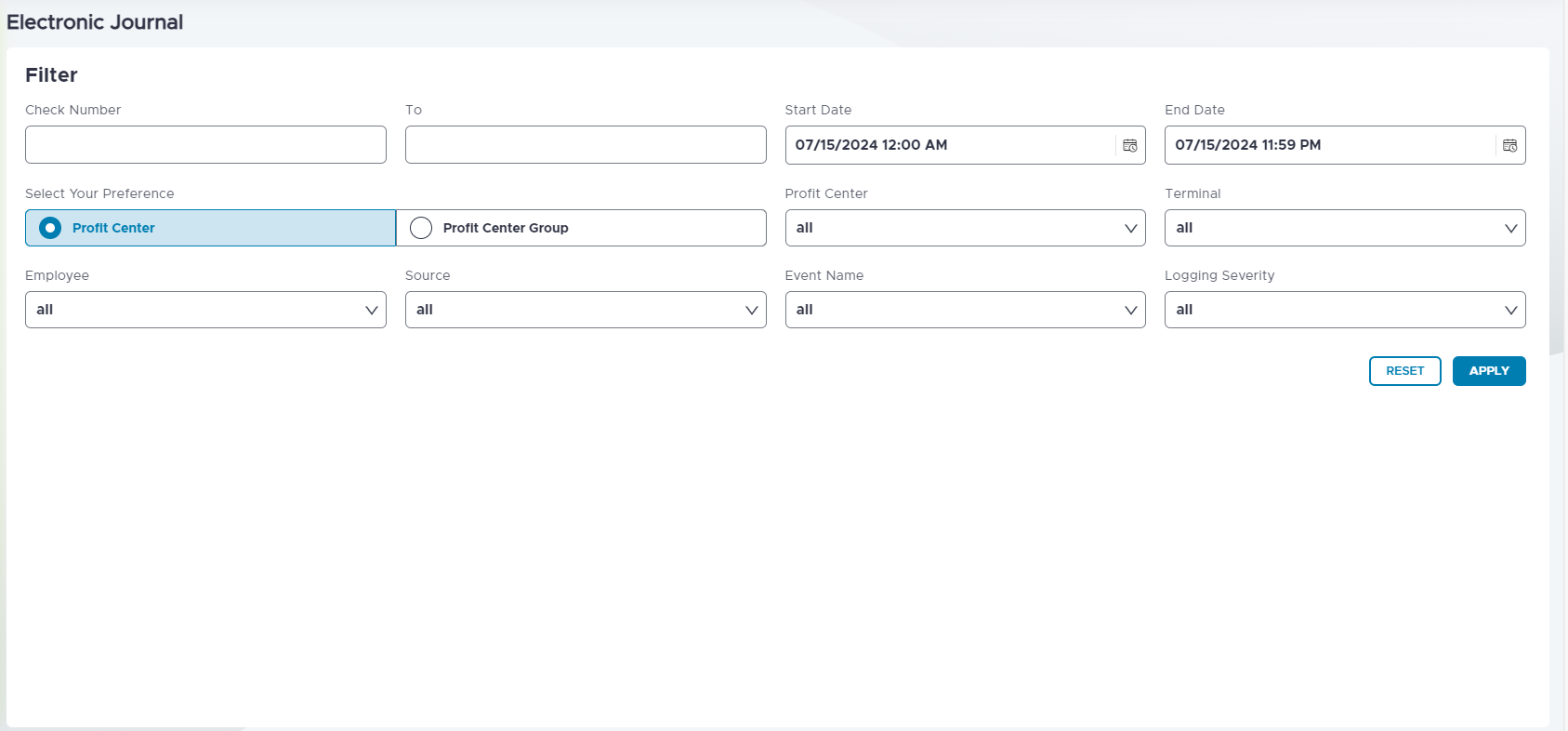
Refer to the following table and fill in the fields as necessary:
|
Field |
Description |
|---|---|
|
Check Number |
Enter the check number. |
|
Start Date |
Enter the start date. |
|
End Date |
Enter the end date. |
|
Select Your Reference |
Select Profit Center or Profit Center Group as per preference. |
|
Profit Center Group |
Select the profit center group. |
|
Terminal |
Select the terminal. |
|
Employee |
Select the employee. |
|
Source |
Select the source. |
|
Event Name |
Select the event name. |
|
Logging Severity |
Select the logging severity. |
Select Apply after entering all appropriate values. Users can also select Reset to go back to the default values.
Enable the Export Electronic Journal with Header and Applied Filters checkbox.
-
When enabled, the export file includes the header and selected filter details.
-
When disabled, the export file contains only the raw data without headers or filter information. This checkbox is disabled by default.
Select the preferred export option icon to generate the report.