


Audit Logging
The Audit Logging utility captures all the inventory, tender and general activities occurring in various forms of IGCM including accessing of the logged activities and the user’s sign in or sign off from the IGCM.
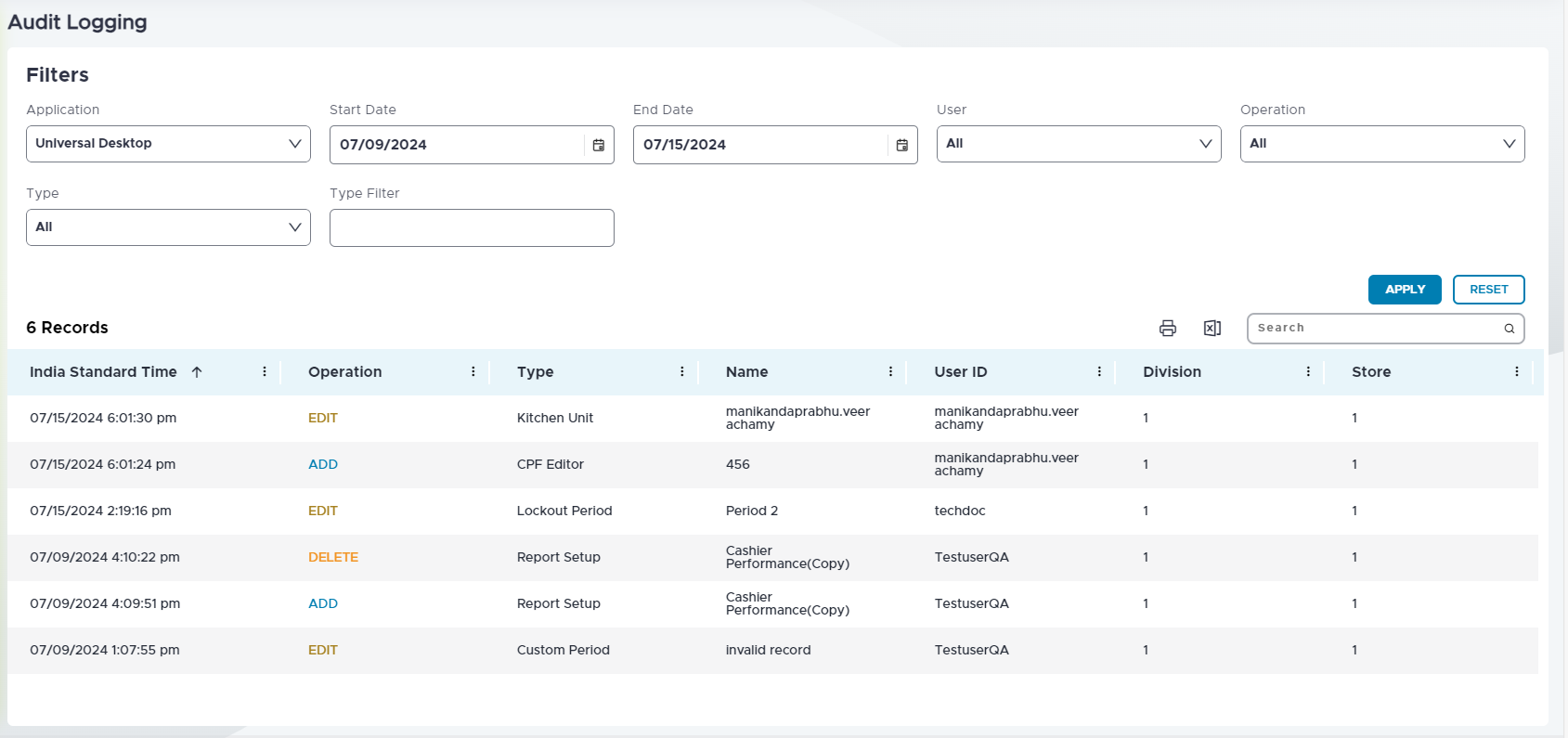
The following parameters are available to filter out and view the preferred activity:
|
Field |
Description |
|---|---|
|
Application |
The application type to view logged activities from. The following application types are available:
|
|
Start Date |
The start date for the search period. |
|
End Date |
The end date for the search period. |
|
User |
Filters the POS user. |
|
Operation |
Filters the type of operation to be viewed. For example, success, failure or edit. |
|
Type |
Filters the activities based on form. |
|
Type Filter |
The input field to type filter and search. |
|
Apply |
Select Apply after choosing the preferences to view the result. |
|
Reset |
Select Reset to switch back to the default preferences. |
|
|
Prints the entries generated. |
|
|
Export Exports the generated entries in an excel file format. |

